Creative PM AI Kit
Turn ChatGPT, Claude, or Gemini into your creative PM assistant
Get better briefs, sharper stakeholder messages, cleaner status updates, and stronger project docs without re-explaining your work every time.
- Works with ChatGPT, Claude + Gemini
- Built for real creative workflows
- No technical setup required
- One-time purchase

Most creative PMs using AI start from zero every conversation.
Every new chat means re-explaining your project, your team, your stakeholders, and your communication style, and the output still comes back generic. Built for a software sprint, not a production schedule or agency workflow.
- You get advice that ignores how creative work actually functions
- You spend more time editing the output than you saved generating it
- Every new project means starting over from scratch
- The AI has no idea what a revision round, a creative review, or a scope change actually means
This is not an AI problem. It is a setup problem.
Not a course. Not a certification.
A working toolkit you use Monday morning.
Five documents. Color-coded, immediately usable, built specifically for creative industries. You set it up once in about 20 minutes. From that point on, every AI conversation starts with the full context of who you are, what you manage, and how you work.
ChatGPT, Claude, or Gemini. All three supported with step-by-step setup instructions included for each platform.
A simple system. Works across every project.
STEP 01Train your AI once
Paste the Master System Prompt into your AI project. It teaches your tool how creative PM work functions: your industry, workflow, and communication style.
STEP 02Add project context
Fill in the Project Setup File at kickoff and upload it once. Every response reflects the actual brief, team, timeline, and known risks.
STEP 03Use proven prompts
Pull from 28 ready-to-use prompts, a swipe file for hard conversations, and 7 working templates, built for the situations creative PMs face every day.
Less explaining. Less editing. More useful output from the first prompt.
What the difference actually looks like.
Same prompt. Same AI tool. The only difference is setup.
WITHOUT THE KIT
Write a status update for my client: the deliverable is running two days late.Hi there, I wanted to flag that we're running into a small delay on the current deliverable. We're working to resolve it and will keep you updated. Apologies for any inconvenience. Please let me know if you have questions.
WITH THE KIT
Write a status update for my client: the deliverable is running two days late.Hi Sarah, quick update on the brand toolkit: we caught a spec conflict between the web and print files that needs to be resolved before handoff. Two extra days puts delivery at Thursday EOD. No impact on the campaign launch timeline. I'll send the files with a short walkthrough note when they're ready.
The right version knows the client, the project, the delivery context, and how to communicate clearly under pressure. The left version knows nothing.
Five files. One complete system.
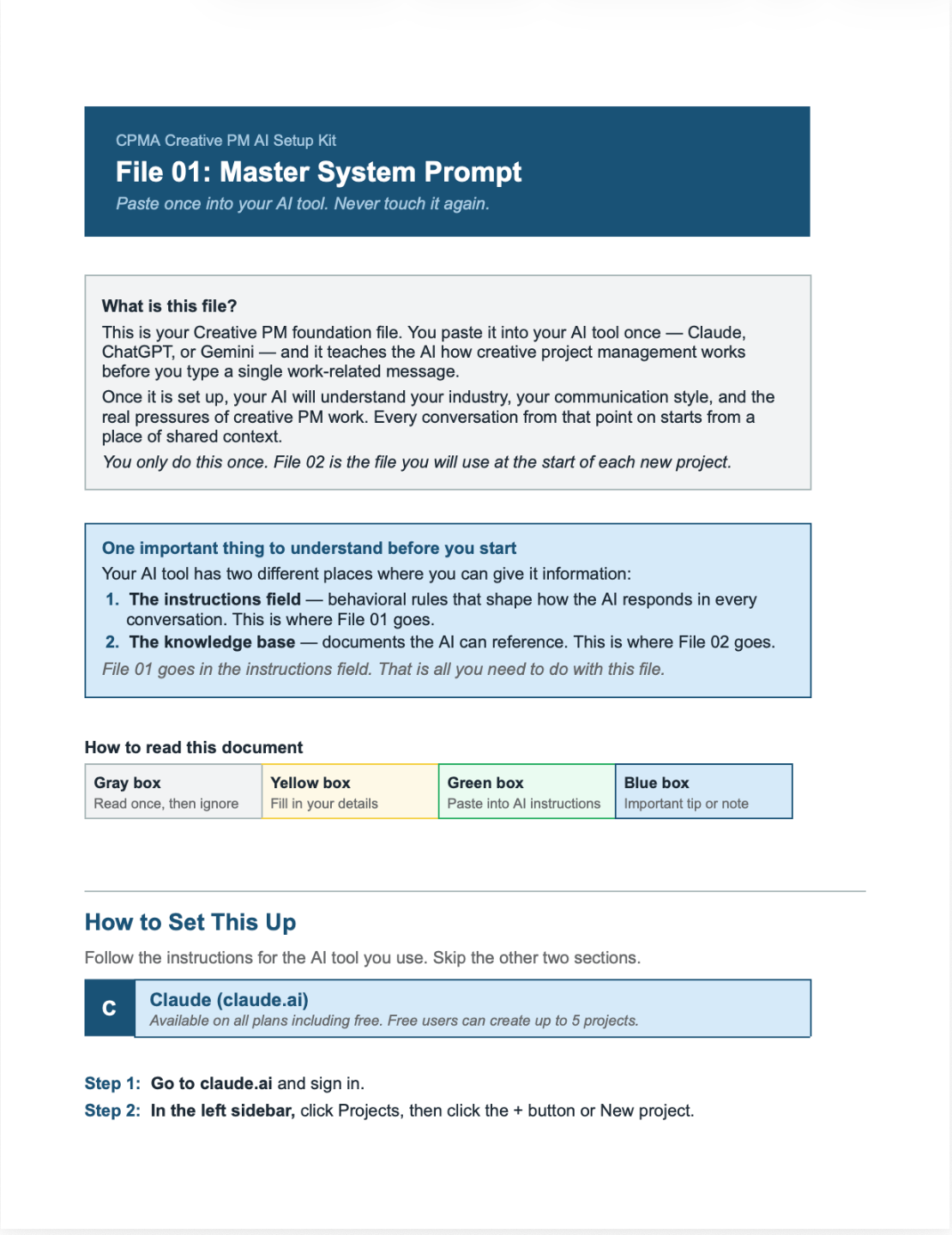
FILE 01 Master System Prompt: train your AI once
Paste once into your AI project instructions. It teaches your tool the fundamentals of creative PM work, your industry, your communication style, and how you operate. From that point on, your AI starts every conversation with the right context already in place.
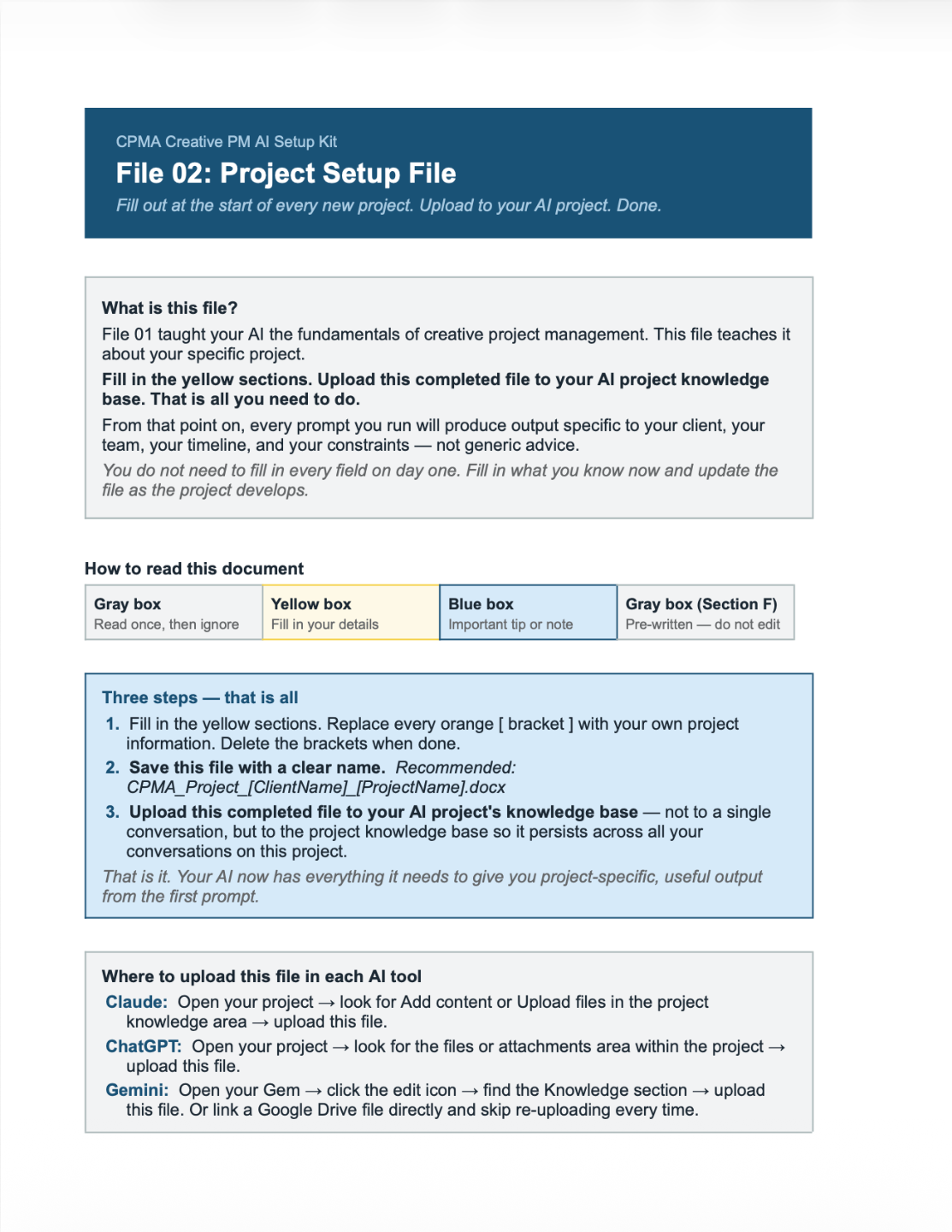
FILE 02Project Setup File: make every response project-specific
Fill in at kickoff and upload it to your AI workspace. Every response reflects the actual brief, team, timeline, stakeholders, and risks, not a generic scenario your AI invented to fill the gap.
FILE 03Prompt Library: 28 prompts for every common situation
Kickoffs, scope changes, timeline pressure, feedback rounds, difficult stakeholders, strategic decisions. Each prompt includes a when-to-use line and brackets to fill in your actual project details.
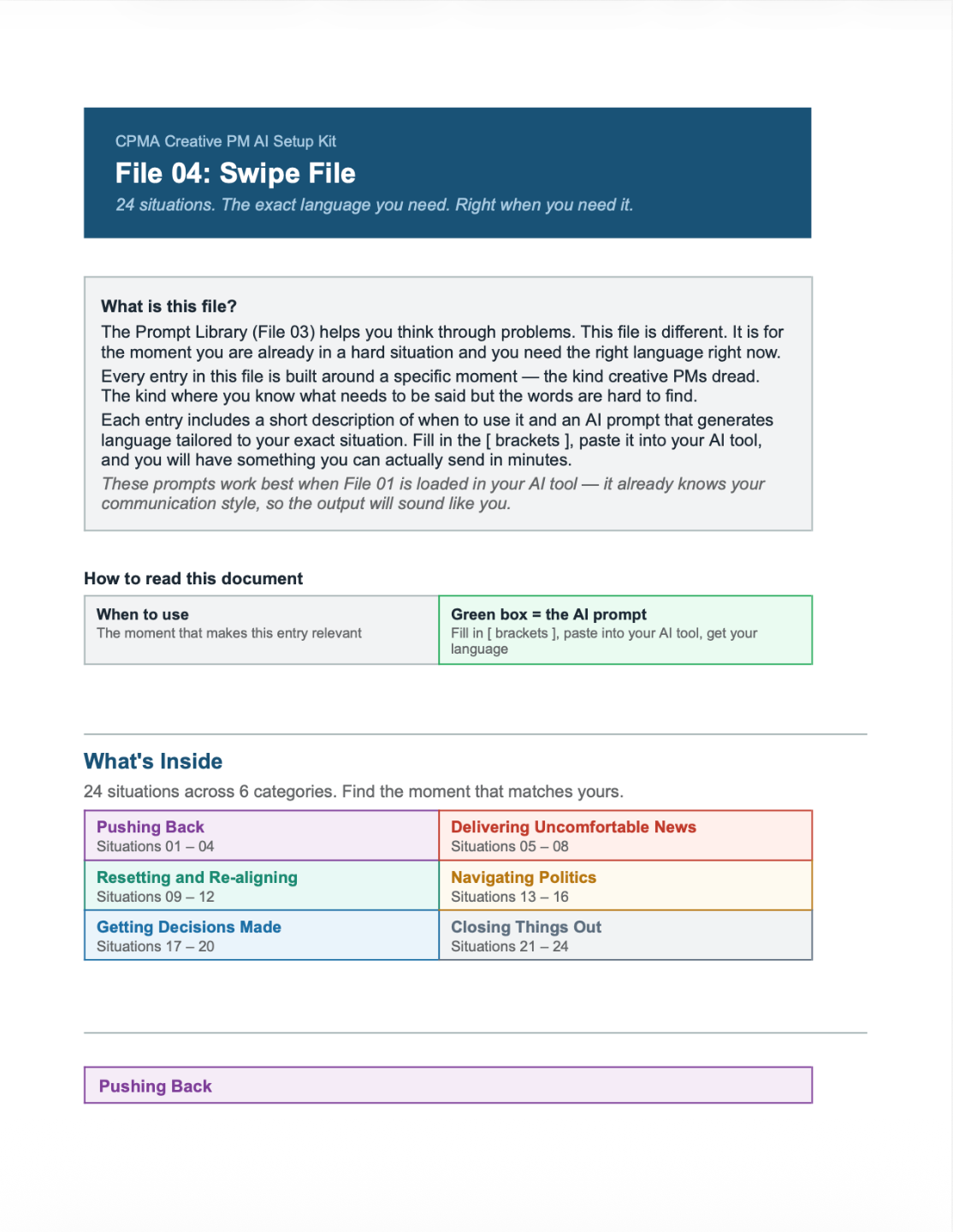
FILE 04Swipe File: language for the hard human moments
24 situations across 6 categories: pushing back on scope, delivering bad news, navigating politics, getting decisions made, resetting alignment. The exact language, generated for your specific situation.
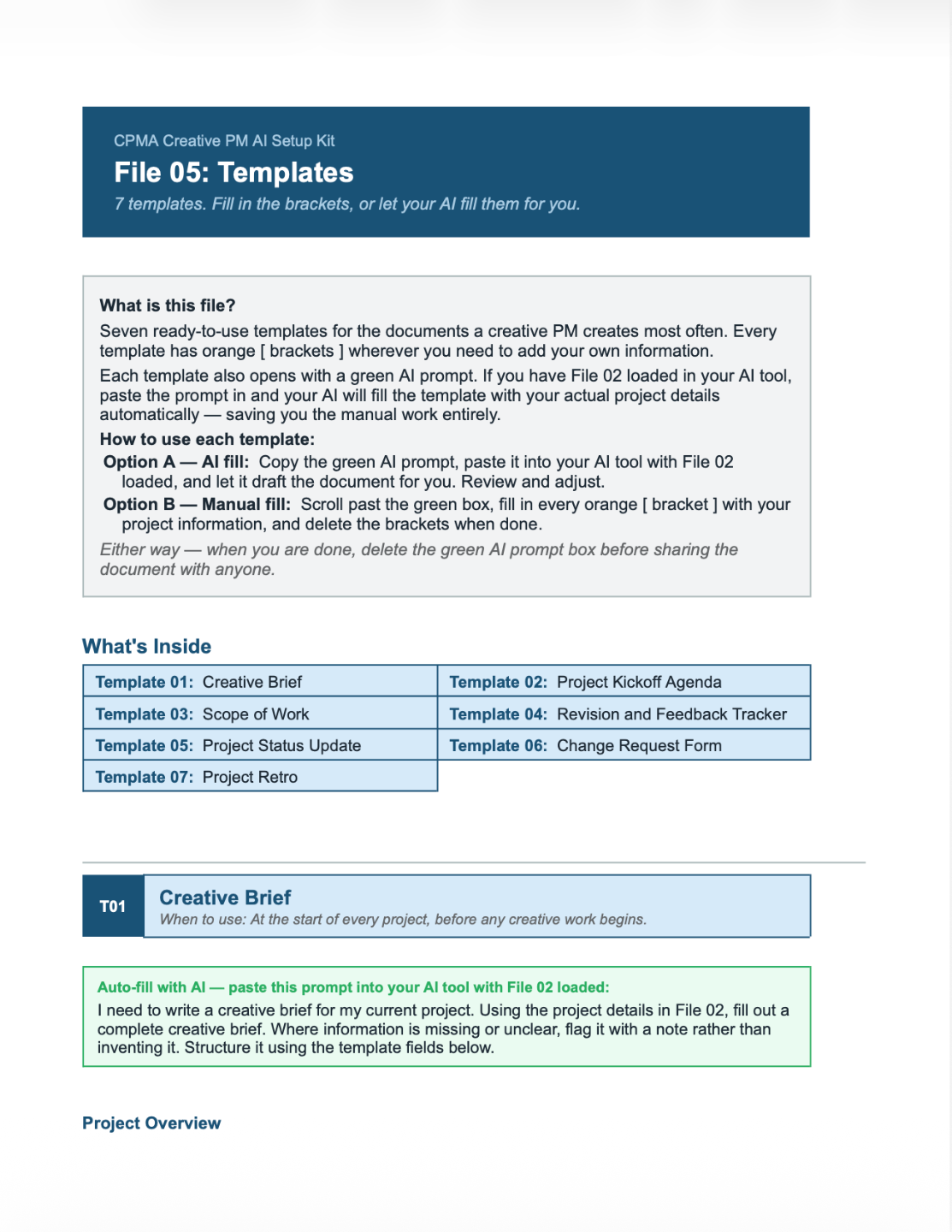
FILE 05Templates: 7 documents creative PMs create most often
Creative Brief, Kickoff Agenda, Scope of Work, Revision Tracker, Status Update, Change Request Form, and Project Retro. Each has an AI auto-fill prompt at the top and manual fill-in brackets throughout.
What creative PMs use it for every week.
Stakeholder Communication
Status updates, difficult news, scope pushback, and follow-up messages, written in your voice, for your actual project, without starting from scratch each time.
Project Documents
Briefs, kickoff agendas, scope of work, and retros drafted with your real project details already loaded, not a generic template you have to rebuild from nothing.
Scope and Change Management
Identifying scope creep, documenting change requests, and writing the message that addresses it professionally without damaging the relationship.
Hard Conversations
Pushing back on unrealistic timelines, addressing vendor misses, and resetting a client relationship that has developed bad patterns, with language that actually lands.
-
This kit comes from the team behind CPMA's Creative Project Management Certification, built for the real pressures of creative delivery: shifting timelines, layered approvals, stakeholder politics, scope creep, and communication that has to land the first time.
- It draws from the same creative-project foundation as CPMA's certification program, which was developed with professionals from Disney, Google, Snap Inc., Red Bull, Sony Pictures, Accenture, and Paramount Pictures, and built specifically for creative industries rather than adapted from generic PM frameworks.
- Students have come from organizations including Google, BBC, ESPN, Lockheed Martin, Northwell Health, AdventHealth, Dreamtek, KitBash3D, Sony Pictures, and SPX Corporation.
$97
One-time purchase. Instant download. Yours to keep.
5 editable Word documents
28 role-specific prompts
Works with ChatGPT, Claude + Gemini
24 swipe-file situations
Setup instructions for all 3 platforms
7 ready-to-use PM templates
No subscription required
No AI experience needed
5-day money-back guarantee. If it is not useful, reply to your receipt email for a full refund. No questions asked.
If this saves you one hour of rewriting generic AI output, one difficult stakeholder message you have been putting off, or one late cleanup session before a client presentation, it has paid for itself.
Common questions.
Is this a course?
Do I need to know how to use AI already?
Is this just a prompt pack?
Do I need a paid ChatGPT, Claude, or Gemini plan?
Will I need to upload confidential client information?
Is this only for agency project managers?
How is this different from the CPMA certification?
Stop starting from scratch every time you open ChatGPT, Claude, or Gemini.
Set it up once and get output that fits the way creative work gets done.
Instant download. No subscription. 5-day money-back guarantee.
Get the Creative PM AI Kit: $97