Introducing the CPMA Creative PM AI Kit: Set Up AI for the Way Creative Work Actually Gets Done
Apr 06, 2026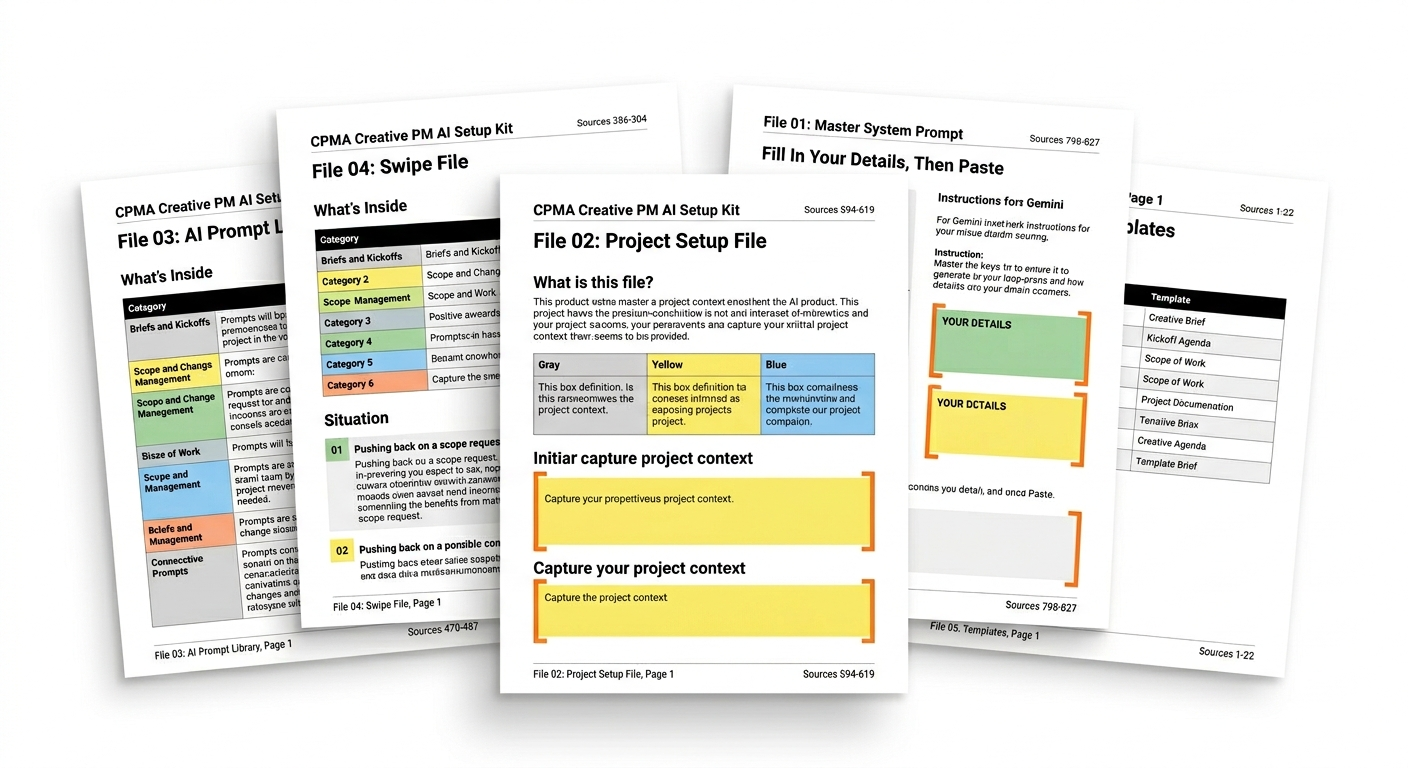
Most creative project managers using AI tools right now are starting from zero every single conversation. They open ChatGPT, Claude, or Gemini, type a request, get something generic back, spend ten minutes editing it into something usable, and walk away thinking AI is marginally helpful at best. The problem is not the tool. It is that the tool knows nothing about them, their work, or the specific dynamics of creative project management.
Every conversation starts with re-explaining the project, the client, the team, the communication style, and the context. And the output still comes back written for a software sprint or a construction timeline rather than a production schedule, a revision round, or a scope conversation with a creative director.
That is the problem the CPMA Creative PM AI Kit was built to solve.
What the Kit Actually Is
The Creative PM AI Kit is not a course. It is not a certification. It is a working toolkit of five editable documents you download, set up once in about 20 minutes, and use every week from that point forward.
It works with Claude, ChatGPT, and Gemini -- setup instructions for all three platforms are included. And it was built specifically for how creative project management actually works, not adapted from generic productivity frameworks that were never designed for agencies, studios, production companies, or in-house creative teams.
The five files work as a system:
File 01 -- Master System Prompt. You paste this into your AI project instructions once. It teaches your tool the fundamentals of creative PM work -- your industry, your communication style, and how you operate. Every conversation from that point forward starts with the full context already in place.
File 02 -- Project Setup File. You fill this in at kickoff and upload it to your AI workspace once per project. Every response reflects the actual brief, team, timeline, stakeholders, and known risks -- not a generic scenario the AI invented to fill the gap.
File 03 -- Prompt Library. 28 ready-to-use prompts for every common creative PM situation: kickoffs, scope changes, timeline pressure, feedback rounds, difficult stakeholders, strategic decisions. Each prompt includes a when-to-use line and brackets to fill in your actual project details.
File 04 -- Swipe File. Language for the hard human moments. 24 situations across six categories -- pushing back on scope, delivering bad news, navigating politics, getting decisions made, resetting alignment. The exact language, generated for your specific situation.
File 05 -- Templates. Seven documents creative PMs create most often: Creative Brief, Kickoff Agenda, Scope of Work, Revision Tracker, Status Update, Change Request Form, and Project Retro. Each has an AI auto-fill prompt at the top so your tool completes it with your real project details automatically.
The Difference Setup Makes
The best way to understand what the kit actually does is to see the same prompt run with and without it.
Without the kit, a prompt like "write a status update for my client -- the deliverable is running two days late" comes back as a vague, over-apologetic message that could apply to any project, any client, and any situation. Generic to the point of being unusable without significant rewriting.
With the kit loaded -- the client name, the project context, the delivery situation, and the communication style all already in place -- the same prompt returns a specific, confident message that names the issue, explains it clearly, gives the new timeline, and notes the downstream impact. Ready to send.
That difference compounds across every brief, every scope email, every stakeholder update, and every difficult conversation. The kit does not make AI smarter. It gives AI what it needs to be genuinely useful.
Who It Is Built For
The kit is built for creative project managers working in any environment where creative work gets managed -- advertising agencies, film and television production, design studios, in-house brand teams, digital content, animation, and media. It is also well suited for creative producers, traffic managers, and creative operations professionals who are managing projects and stakeholder communication day to day.
It does not require any prior AI experience. If you can open a Word document, you can use this. The setup instructions walk through each platform step by step.
It is worth noting how the kit relates to the CPMA certification. The certification builds the foundational knowledge and gives you a credential to put on your LinkedIn. The kit makes your day-to-day work faster and more specific. They are complementary, but each stands entirely on its own. As covered in more depth in the practical AI setup guide, the professionals getting the most leverage from AI right now are the ones who combine strong creative PM knowledge with a well-configured AI setup. The kit handles the configuration side of that equation.
What It Costs and What That Buys You
The kit is $97. One-time purchase. Instant download. Yours to keep with no subscription required. There is a 5-day money-back guarantee -- if it is not useful, reply to your receipt email for a full refund.
The CPMA certification programs were developed with input from veterans at Disney, Google, Snap Inc., Red Bull, Sony Pictures, Accenture, and Paramount Pictures. The kit draws from the same creative project management foundation -- the same frameworks, the same understanding of how creative work actually gets delivered under real conditions.
If the kit saves you one hour of rewriting generic AI output, one difficult stakeholder message you have been putting off, or one late cleanup session before a client presentation -- it has paid for itself.
Frequently Asked Questions
Is the CPMA Creative PM AI Kit a course or a subscription?
Neither. It is a one-time purchase of five editable Word documents that you download instantly. There are no lessons, no videos, and nothing to study. You set it up once and use it immediately. No subscription, no recurring charge.
Which AI tools does the kit work with?
The kit works with Claude, ChatGPT, and Gemini. Step-by-step setup instructions for all three platforms are included. A paid plan is recommended for full functionality -- particularly the project knowledge base features used in Files 01 and 02 -- but paid plans for all three platforms are under $25 a month.
How is this different from just using AI without the kit?
Without the kit, every AI conversation starts from zero. The tool has no context about your industry, your projects, your clients, or your communication style, so the output is generic and requires significant editing. With the kit set up, your AI already knows your environment before you type a single prompt. The output is specific, accurate, and usable from the first response.
The kit is available now for $97 at the CPMA Creative PM AI Kit page. Instant download. No subscription. 5-day money-back guarantee. If you want to understand the broader context of how AI is reshaping the creative PM role before you decide, start with this post on why AI is actually good news for creative PMs.